
Ahrefs
Brings Ahrefs SEO data into ChatGPT: keywords, rankings, backlinks, competitors and AI search visibility.

Images: ahrefs.com
What Ahrefs can do in ChatGPT
Analyze SEO and AI visibility with Ahrefs data.
Keyword Research
Find keywords and easier opportunities for your next pages.
Backlink Review
Look at backlinks and review link-building strategies.
Competitor Analysis
Find organic competitors and compare how they perform.
AI Search Visibility
Check brand mentions in AI search and share of voice.
Reports And Summaries
Turn complex metrics into clear summaries in one conversation.
You stay in control
You approve access, and you can disconnect Ahrefs at any time.
Apps 1
What Ahrefs does in ChatGPT
The Ahrefs plugin lets you work with Ahrefs SEO data inside ChatGPT. You can look at keywords, rankings, traffic trends, backlinks and how competitors perform. It also covers brand visibility in AI search, including how often a brand is mentioned by large language models such as ChatGPT.
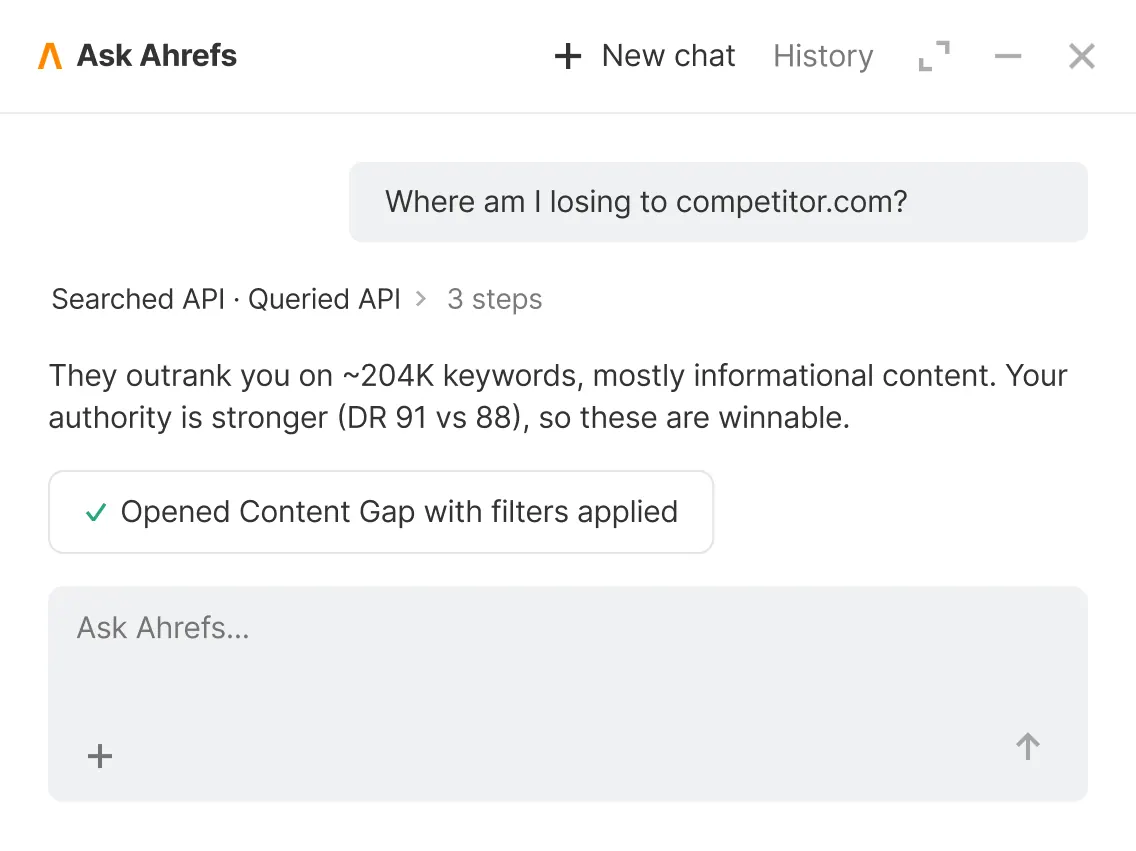
You can compare your share of voice against competitors, spot keywords that are easier to win, review link-building approaches and follow performance over time. ChatGPT can combine several of these analyses in one conversation, answer follow-up questions and turn the numbers into plain summaries and reports.
The listing's examples show the range: checking a brand's share of voice in ChatGPT, finding organic search competitors for a domain, and running keyword research before outlining an article. Everything it reports comes from Ahrefs data, and the listing describes analysis only, not changes to any website.
Who it is for
- SEO specialists and agencies
- Content marketers planning articles
- Brands tracking AI search visibility
How to add Ahrefs to ChatGPT
- Open the Ahrefs listing in ChatGPT ↗.
- Click Install plugin.
- Sign in to your Ahrefs account when asked and approve the access it requests.
- Start a chat and ask for what you need, mentioning Ahrefs if ChatGPT does not pick it up.
- To stop, disconnect Ahrefs under apps in your ChatGPT settings.
Questions about Ahrefs
What is the Ahrefs ChatGPT plugin?
The Ahrefs plugin lets you work with Ahrefs SEO data inside ChatGPT. You can look at keywords, rankings, traffic trends, backlinks and how competitors perform. It also covers brand visibility in AI search, including how often a brand is mentioned by large language models such as ChatGPT. It is listed in ChatGPT's plugin marketplace under Business & Operations.
What can I ask Ahrefs to do in ChatGPT?
For example: "Analyze Mailchimp's share of voice in ChatGPT", "Find organic search competitors for docusign.com", "Do keyword research and outline a guide on the best travel backpacks".
Who makes the Ahrefs plugin for ChatGPT?
The ChatGPT listing names Ahrefs Pte. Ltd. as the developer. The version listed on 8 October 2026 was 1.0.0.
How do I add Ahrefs to ChatGPT?
Open the Ahrefs listing in ChatGPT, click Install plugin, sign in to your Ahrefs account and approve the access it asks for. Then ask for what you need in a chat, mentioning Ahrefs if ChatGPT does not pick it up.
Can Ahrefs change things in my account, or only read?
It reads Ahrefs data on keywords, rankings, traffic, backlinks and brand mentions. The listing describes analysis and reporting, not changes to any site.
Who is the Ahrefs plugin for?
SEO specialists and agencies, content marketers planning articles and brands tracking AI search visibility.
Does it track brand mentions in AI chatbots?
Yes. The listing says it covers brand visibility in AI search and LLM mentions, and can compare share of voice with competitors.
Can it turn the data into a report?
Yes. It can combine several analyses in one conversation and turn the metrics into summaries and reports.
Does Ahrefs see my ChatGPT chats?
When Ahrefs is connected, ChatGPT may share the parts of your chats and memories that matter for a request with Ahrefs. What Ahrefs does with that data falls under its own terms and privacy policy. ChatGPT keeps your training-data settings, and you can disconnect at any time.
How do I disconnect Ahrefs from ChatGPT?
Open your ChatGPT settings, go to apps, and disconnect Ahrefs. You can reconnect later from the listing.
What are alternatives to Ahrefs in ChatGPT?
Similar plugins in the ChatGPT marketplace include Skills, BrightEdge and SE Ranking. Each has its own page in this directory.



Privacy and your data
When Ahrefs is connected, ChatGPT may share the parts of your chats and memories that matter for a request with Ahrefs. What Ahrefs then does with that data falls under its own terms and privacy policy, not only OpenAI's. ChatGPT keeps your training-data settings for data that comes from connected apps, and you can disconnect at any time.
Ahrefs privacy policy ↗Ahrefs terms ↗OpenAI: apps in ChatGPT ↗