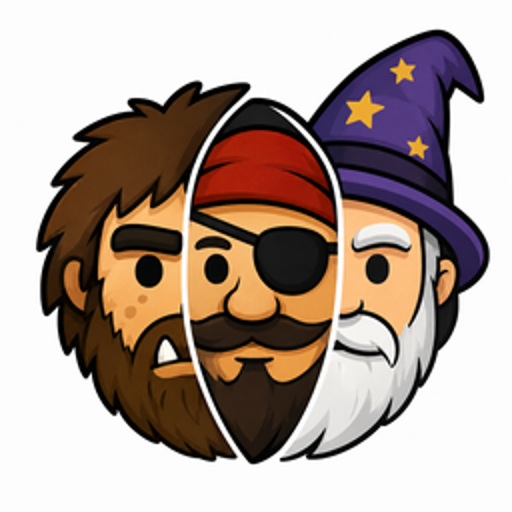
Caveman Mode
Changes how ChatGPT talks by switching it into characters like a caveman, pirate or wizard.
What Caveman Mode can do in ChatGPT
Give ChatGPT a new voice and personality.
Character Switching
Swap between personalities like caveman, pirate and wizard at any time.
Character Library
Browse a growing list of characters and speaking styles.
Roleplay Stories
Use characters for storytelling and roleplay conversations.
Themed Tutors
Learn a topic from a character for a lighter study session.
Writing Help
Brainstorm and write with a character's voice and tone.
You stay in control
You approve access, and you can disconnect Caveman Mode at any time.
Apps 1
What Caveman Mode does in ChatGPT
The Caveman Mode plugin changes the voice ChatGPT answers in. You pick a character, and replies come back in that style, from a prehistoric caveman to a pirate, a wise wizard or a grumpy detective. It is meant for fun, but it works while you write, brainstorm or learn.
There is a library of characters and speaking styles that keeps growing. Popular ones include the caveman, pirate, wizard, detective, Shakespeare, soldier and drill sergeant. You can use them for roleplay and storytelling, or to make a study session less dry by having a themed tutor explain things.
The listing says it only changes how ChatGPT responds, not what it can do. So you still get the same answers to your questions, just delivered in a different voice. You can switch between characters whenever you like, or go back to the normal ChatGPT style when you want plain replies again.
Who it is for
- People who want more fun replies
- Writers trying roleplay and storytelling
- Students who like themed tutors
How to add Caveman Mode to ChatGPT
- Open the Caveman Mode listing in ChatGPT ↗.
- Click Install plugin.
- Sign in to your Caveman Mode account when asked and approve the access it requests.
- Start a chat and ask for what you need, mentioning Caveman Mode if ChatGPT does not pick it up.
- To stop, disconnect Caveman Mode under apps in your ChatGPT settings.
Questions about Caveman Mode
What is the Caveman Mode ChatGPT plugin?
The Caveman Mode plugin changes the voice ChatGPT answers in. You pick a character, and replies come back in that style, from a prehistoric caveman to a pirate, a wise wizard or a grumpy detective. It is meant for fun, but it works while you write, brainstorm or learn. It is listed in ChatGPT's plugin marketplace under Entertainment.
What can I ask Caveman Mode to do in ChatGPT?
For example: "Explain how volcanoes work like a caveman", "Switch to pirate mode and help me write a birthday message", "Be a cynical detective and review my short story".
Who makes the Caveman Mode plugin for ChatGPT?
The ChatGPT listing names Spheric Admin Ltd as the developer. The version listed on 8 October 2026 was 1.0.0.
How do I add Caveman Mode to ChatGPT?
Open the Caveman Mode listing in ChatGPT, click Install plugin, sign in to your Caveman Mode account and approve the access it asks for. Then ask for what you need in a chat, mentioning Caveman Mode if ChatGPT does not pick it up.
Can Caveman Mode change things in my account, or only read?
It changes the style of ChatGPT's replies to the character you pick. The listing does not describe reading or changing any account data.
Who is the Caveman Mode plugin for?
People who want more fun replies, writers trying roleplay and storytelling and students who like themed tutors.
Does Caveman Mode make ChatGPT less accurate?
The listing says it changes the personality and speaking style but not what ChatGPT can do.
Which characters can I use in Caveman Mode?
The listing names a caveman, pirate, wizard, detective, Shakespeare, soldier and drill sergeant, among others.
Does Caveman Mode see my ChatGPT chats?
When Caveman Mode is connected, ChatGPT may share the parts of your chats and memories that matter for a request with Caveman Mode. What Caveman Mode does with that data falls under its own terms and privacy policy. ChatGPT keeps your training-data settings, and you can disconnect at any time.
How do I disconnect Caveman Mode from ChatGPT?
Open your ChatGPT settings, go to apps, and disconnect Caveman Mode. You can reconnect later from the listing.
What are alternatives to Caveman Mode in ChatGPT?
Similar plugins in the ChatGPT marketplace include Apple Music, CardChain AI and Enzo Reader for RSS Feeds. Each has its own page in this directory.



Privacy and your data
When Caveman Mode is connected, ChatGPT may share the parts of your chats and memories that matter for a request with Caveman Mode. What Caveman Mode then does with that data falls under its own terms and privacy policy, not only OpenAI's. ChatGPT keeps your training-data settings for data that comes from connected apps, and you can disconnect at any time.
Caveman Mode privacy policy ↗Caveman Mode terms ↗OpenAI: apps in ChatGPT ↗