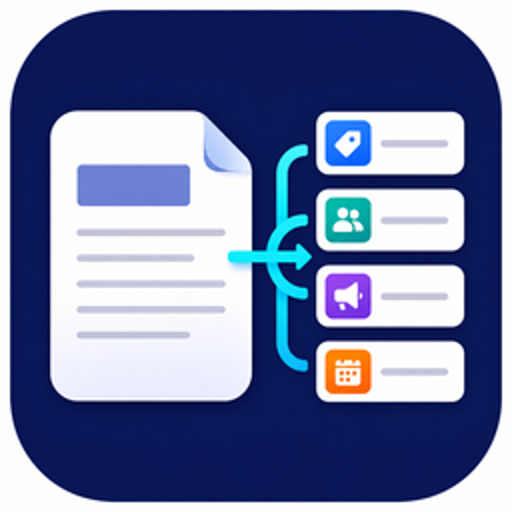
Content Brief Extractor
Pulls topic, audience, channel and deadline out of a content request and flags missing fields.
What Content Brief Extractor can do in ChatGPT
Turn a content request into structured brief fields.
Topic And Audience
Finds the topic and target audience in your request text.
Channel And Deadline
Picks out the channel and deadline if the request mentions them.
Missing Fields
Lists which brief details the request leaves out.
Error Checks
Reports errors it finds while reading the request.
Read-Only Processing
Stores nothing and calls no outside systems.
You stay in control
You approve access, and you can disconnect Content Brief Extractor at any time.
Apps 1
What Content Brief Extractor does in ChatGPT
The Content Brief Extractor plugin turns a written content request into a structured brief. You paste the request text, and it returns the topic, target audience, channel and deadline it found, plus a list of fields that are missing and any errors. It is a small tool that does one job.
The listing is clear about its limits. It does not write the content, build a marketing strategy, pick channels, schedule or publish posts, or contact outside systems. It only works on the text you submit for the current request and returns the fields it can find.
It keeps nothing between requests and only reads, so each request stands alone. That makes it handy for checking whether a request from a client or colleague has enough detail before work starts, but you will need other tools for the writing itself.
Who it is for
- Content teams receiving requests
- Freelance writers checking client briefs
- Marketing coordinators
How to add Content Brief Extractor to ChatGPT
- Open the Content Brief Extractor listing in ChatGPT ↗.
- Click Install plugin.
- Sign in to your Content Brief Extractor account when asked and approve the access it requests.
- Start a chat and ask for what you need, mentioning Content Brief Extractor if ChatGPT does not pick it up.
- To stop, disconnect Content Brief Extractor under apps in your ChatGPT settings.
Questions about Content Brief Extractor
What is the Content Brief Extractor ChatGPT plugin?
The Content Brief Extractor plugin turns a written content request into a structured brief. You paste the request text, and it returns the topic, target audience, channel and deadline it found, plus a list of fields that are missing and any errors. It is a small tool that does one job. It is listed in ChatGPT's plugin marketplace under Productivity.
What can I ask Content Brief Extractor to do in ChatGPT?
For example: "Extract a content brief from this request: [paste text]", "What is missing from this content request?", "Find the topic, audience, channel and deadline in this email".
Who makes the Content Brief Extractor plugin for ChatGPT?
The ChatGPT listing names Beike Yan as the developer. The version listed on 8 October 2026 was 1.0.0.
How do I add Content Brief Extractor to ChatGPT?
Open the Content Brief Extractor listing in ChatGPT, click Install plugin, sign in to your Content Brief Extractor account and approve the access it asks for. Then ask for what you need in a chat, mentioning Content Brief Extractor if ChatGPT does not pick it up.
Can Content Brief Extractor change things in my account, or only read?
It reads only the text you submit for the current request. The listing says it is stateless, read-only and does not call outside systems.
Who is the Content Brief Extractor plugin for?
Content teams receiving requests, freelance writers checking client briefs and marketing coordinators.
Will it write the content for me?
No. It only extracts brief fields from a request. Writing, strategy, scheduling and publishing are outside what it does.
Does it remember earlier requests?
No. The listing says it is stateless and only processes the text sent with the current request.
Does Content Brief Extractor see my ChatGPT chats?
When Content Brief Extractor is connected, ChatGPT may share the parts of your chats and memories that matter for a request with Content Brief Extractor. What Content Brief Extractor does with that data falls under its own terms and privacy policy. ChatGPT keeps your training-data settings, and you can disconnect at any time.
How do I disconnect Content Brief Extractor from ChatGPT?
Open your ChatGPT settings, go to apps, and disconnect Content Brief Extractor. You can reconnect later from the listing.
What are alternatives to Content Brief Extractor in ChatGPT?
Similar plugins in the ChatGPT marketplace include Support Ticket Validator, Adobe Acrobat and Contract Information Extractor. Each has its own page in this directory.

Privacy and your data
When Content Brief Extractor is connected, ChatGPT may share the parts of your chats and memories that matter for a request with Content Brief Extractor. What Content Brief Extractor then does with that data falls under its own terms and privacy policy, not only OpenAI's. ChatGPT keeps your training-data settings for data that comes from connected apps, and you can disconnect at any time.
Content Brief Extractor privacy policy ↗Content Brief Extractor terms ↗OpenAI: apps in ChatGPT ↗