
ShareWatch
Gives ChatGPT controlled access to your Google Docs, Sheets, Slides and Drive folders.
Images: sharewatch.ai
What ShareWatch can do in ChatGPT
Work on Google Docs, Sheets and Slides from chat.
Create Documents
Turn a chat into a formatted Google Doc with headings.
Build Spreadsheets
Make Google Sheets for plans, trackers and lists.
Make Slides
Put key points from a file into a Google Slides deck.
Organize Folders
Find, move and convert files in your Drive.
Per-File Controls
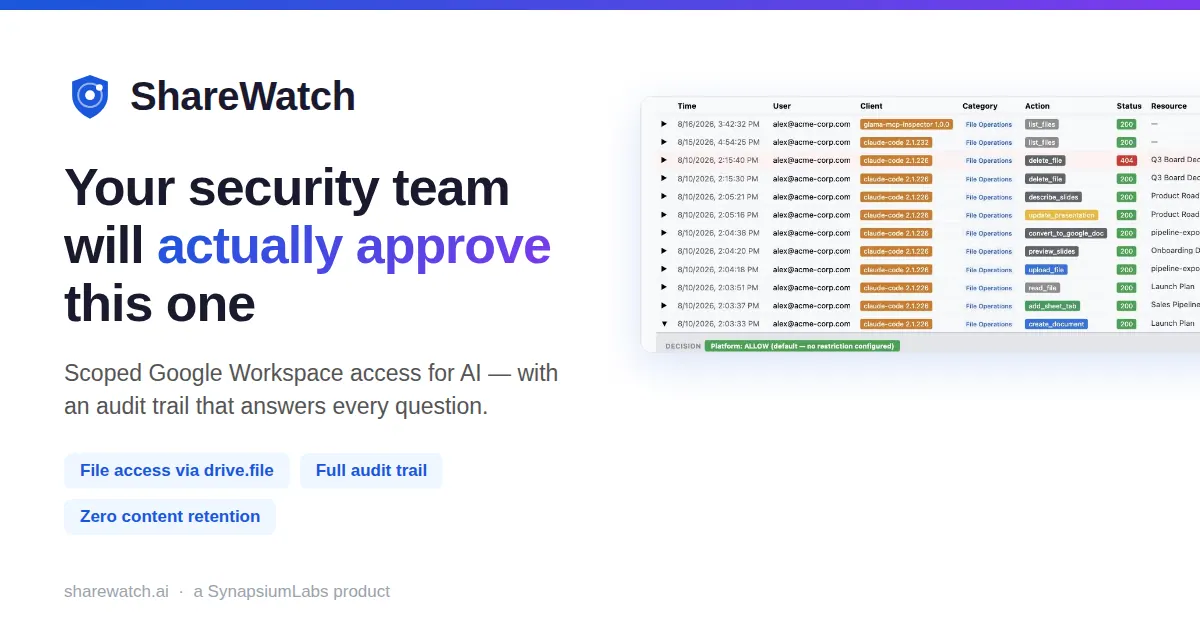
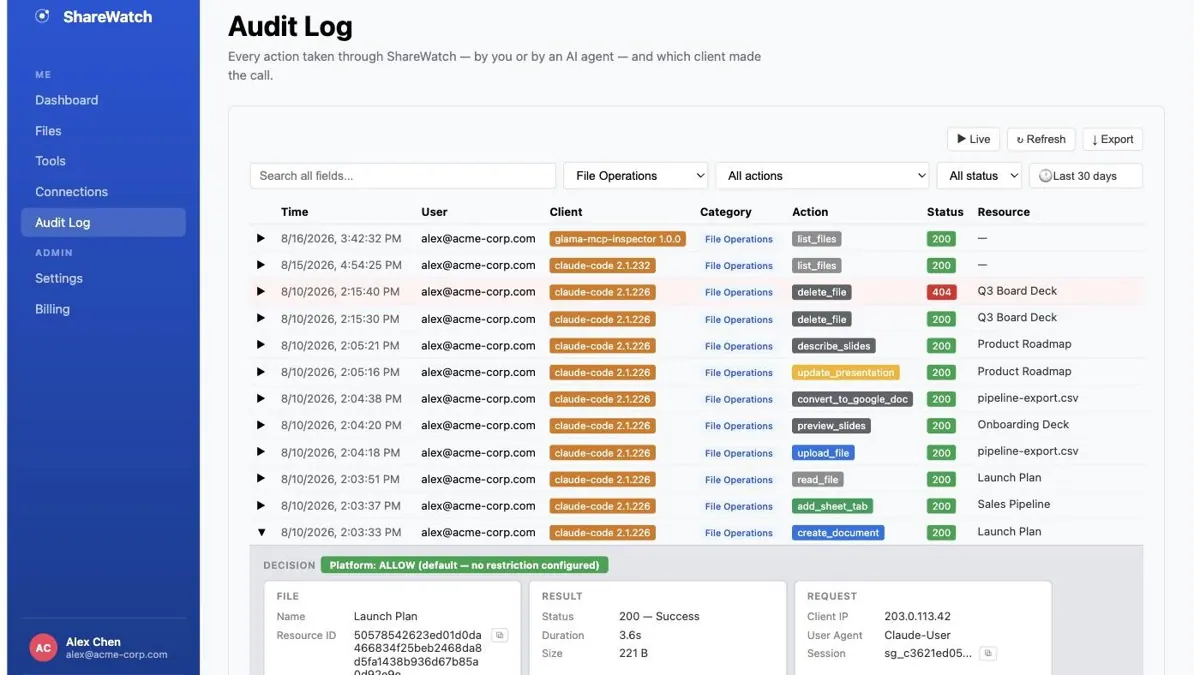
Access is limited per file and every action is logged.
You stay in control
You approve access, and you can disconnect ShareWatch at any time.
Apps 1
What ShareWatch does in ChatGPT
The ShareWatch plugin connects ChatGPT to Google Workspace files with limits on what it can reach. Through it, ChatGPT can find, read, create and edit Google Docs, Sheets and Slides, so a chat about a plan or a meeting can end with a real document in your Drive.
Beyond writing, it can format files, organize them into folders, preview and convert them, and handle uploaded files. A long discussion can become a Doc with headings and bullet points, a training plan can become a Sheet to track progress in, and the key items from a report can become slides.
ShareWatch puts access controls on each file and keeps a record of what was accessed. The listing describes this as scoped, audited access, which means ChatGPT only works with the files it has been allowed to use. It also lists protecting files as one of the actions it supports.
Who it is for
- Teams working in Google Workspace
- People turning chats into documents
- Admins who want file access logged
How to add ShareWatch to ChatGPT
- Open the ShareWatch listing in ChatGPT ↗.
- Click Install plugin.
- Sign in to your ShareWatch account when asked and approve the access it requests.
- Start a chat and ask for what you need, mentioning ShareWatch if ChatGPT does not pick it up.
- To stop, disconnect ShareWatch under apps in your ChatGPT settings.
Questions about ShareWatch
What is the ShareWatch ChatGPT plugin?
The ShareWatch plugin connects ChatGPT to Google Workspace files with limits on what it can reach. Through it, ChatGPT can find, read, create and edit Google Docs, Sheets and Slides, so a chat about a plan or a meeting can end with a real document in your Drive. It is listed in ChatGPT's plugin marketplace under Productivity.
What can I ask ShareWatch to do in ChatGPT?
For example: "Turn this conversation into a Google Doc called Project Plan with headings", "Make a Google Sheet to track my weekly running distances", "Read the report I shared and put the high-priority items in Google Slides".
Who makes the ShareWatch plugin for ChatGPT?
The ChatGPT listing names ShareWatch as the developer. The version listed on 8 October 2026 was 1.42.794.
How do I add ShareWatch to ChatGPT?
Open the ShareWatch listing in ChatGPT, click Install plugin, sign in to your ShareWatch account and approve the access it asks for. Then ask for what you need in a chat, mentioning ShareWatch if ChatGPT does not pick it up.
Can ShareWatch change things in my account, or only read?
It can find, read, create, edit, organize, convert and protect Google Docs, Sheets, Slides, folders and uploaded files, within per-file access controls that ShareWatch logs.
Who is the ShareWatch plugin for?
Teams working in Google Workspace, people turning chats into documents and admins who want file access logged.
Can ShareWatch see every file in my Google Drive?
The listing says access is scoped and enforced per file, so ChatGPT works only with the files it has been given access to.
Which Google file types does it handle?
Google Docs, Sheets and Slides, plus folders and uploaded files.
Does ShareWatch see my ChatGPT chats?
When ShareWatch is connected, ChatGPT may share the parts of your chats and memories that matter for a request with ShareWatch. What ShareWatch does with that data falls under its own terms and privacy policy. ChatGPT keeps your training-data settings, and you can disconnect at any time.
How do I disconnect ShareWatch from ChatGPT?
Open your ChatGPT settings, go to apps, and disconnect ShareWatch. You can reconnect later from the listing.
What are alternatives to ShareWatch in ChatGPT?
Similar plugins in the ChatGPT marketplace include Google Drive, Slides AI and Twistly AI Presentation Maker. Each has its own page in this directory.



Privacy and your data
When ShareWatch is connected, ChatGPT may share the parts of your chats and memories that matter for a request with ShareWatch. What ShareWatch then does with that data falls under its own terms and privacy policy, not only OpenAI's. ChatGPT keeps your training-data settings for data that comes from connected apps, and you can disconnect at any time.
ShareWatch privacy policy ↗ShareWatch terms ↗OpenAI: apps in ChatGPT ↗