
trip1
Searches and books hotels worldwide, paid in USDC crypto, with rates and cancellation terms.



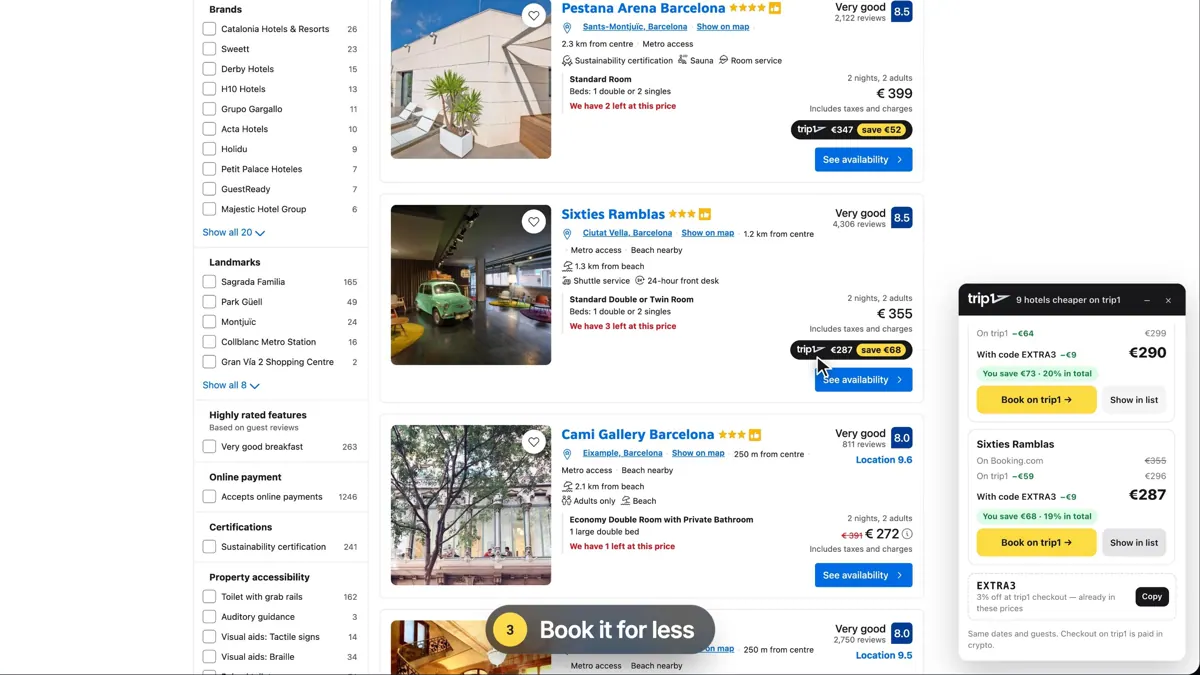
Images: trip1.com
What trip1 can do in ChatGPT
Hotel search and booking paid in USDC.
Global Hotel Search
Search about 3 million hotels by destination and dates.
Rooms And Rates
Inspect room types and prices for each hotel.
Cancellation Terms
Check refund rules before you choose a room.
Reservations
Create a hotel booking from the conversation.
USDC Payment
Pay in USDC on Base or via crypto checkout.
You stay in control
You approve access, and you can disconnect trip1 at any time.
Apps 1
What trip1 does in ChatGPT
The trip1 plugin searches and books hotels from ChatGPT. It covers roughly 3 million properties in more than 200 countries. You give a destination and dates, then look through rooms, rates and cancellation terms for the places it finds, and compare them before you decide on one.
When you pick a room, it creates the reservation for you. Payment is made in USDC, a cryptocurrency tied to the U.S. dollar, on the Base network using a payment method called x402. You can also pay through a crypto checkout page that opens in your browser.
The booking confirms on its own once the payment goes through. The listing does not mention card payments, so this plugin suits people who already hold USDC and are comfortable paying with it. If you want a refundable room, you can ask it to check cancellation terms first.
Built-in skills
The listing says trip1 comes with 2 skills. Skills are ready-made instructions ChatGPT can use for a specific job.
- Hotel booking
- Content access
Who it is for
- Travellers who pay with USDC
- Crypto users booking hotels abroad
- People comparing refundable hotel rooms
How to add trip1 to ChatGPT
- Open the trip1 listing in ChatGPT ↗.
- Click Install plugin.
- Sign in to your trip1 account when asked and approve the access it requests.
- Start a chat and ask for what you need, mentioning trip1 if ChatGPT does not pick it up.
- To stop, disconnect trip1 under apps in your ChatGPT settings.
Questions about trip1
What is the trip1 ChatGPT plugin?
The trip1 plugin searches and books hotels from ChatGPT. It covers roughly 3 million properties in more than 200 countries. You give a destination and dates, then look through rooms, rates and cancellation terms for the places it finds, and compare them before you decide on one. It is listed in ChatGPT's plugin marketplace under Travel.
What can I ask trip1 to do in ChatGPT?
For example: "Find me a hotel in Lisbon for the first weekend of next month", "Show the best-rated hotels in Tokyo for March 10 to 14", "Compare cancellation terms for these three hotels". It also comes with built-in skills such as Hotel booking and Content access.
Who makes the trip1 plugin for ChatGPT?
The ChatGPT listing names trip1 as the developer. The version listed on 8 October 2026 was 1.0.0.
How do I add trip1 to ChatGPT?
Open the trip1 listing in ChatGPT, click Install plugin, sign in to your trip1 account and approve the access it asks for. Then ask for what you need in a chat, mentioning trip1 if ChatGPT does not pick it up.
Can trip1 change things in my account, or only read?
It searches hotel inventory and can create a reservation. Payment is made in USDC on Base or through a browser crypto checkout.
Who is the trip1 plugin for?
Travellers who pay with USDC, crypto users booking hotels abroad and people comparing refundable hotel rooms.
How do I pay for a trip1 booking?
In USDC on Base over x402, or through a browser-based crypto checkout.
When is my booking confirmed?
Automatically, once the payment settles.
How many hotels can it search?
About 3 million properties in more than 200 countries, according to the listing.
Does trip1 see my ChatGPT chats?
When trip1 is connected, ChatGPT may share the parts of your chats and memories that matter for a request with trip1. What trip1 does with that data falls under its own terms and privacy policy. ChatGPT keeps your training-data settings, and you can disconnect at any time.
How do I disconnect trip1 from ChatGPT?
Open your ChatGPT settings, go to apps, and disconnect trip1. You can reconnect later from the listing.
What are alternatives to trip1 in ChatGPT?
Similar plugins in the ChatGPT marketplace include Hyatt, Radisson Hotels and Tripbtoz. Each has its own page in this directory.



Privacy and your data
When trip1 is connected, ChatGPT may share the parts of your chats and memories that matter for a request with trip1. What trip1 then does with that data falls under its own terms and privacy policy, not only OpenAI's. ChatGPT keeps your training-data settings for data that comes from connected apps, and you can disconnect at any time.
trip1 privacy policy ↗trip1 terms ↗OpenAI: apps in ChatGPT ↗