
WordPress.com
Builds new WordPress.com sites from a description and manages existing ones, from posts to settings.

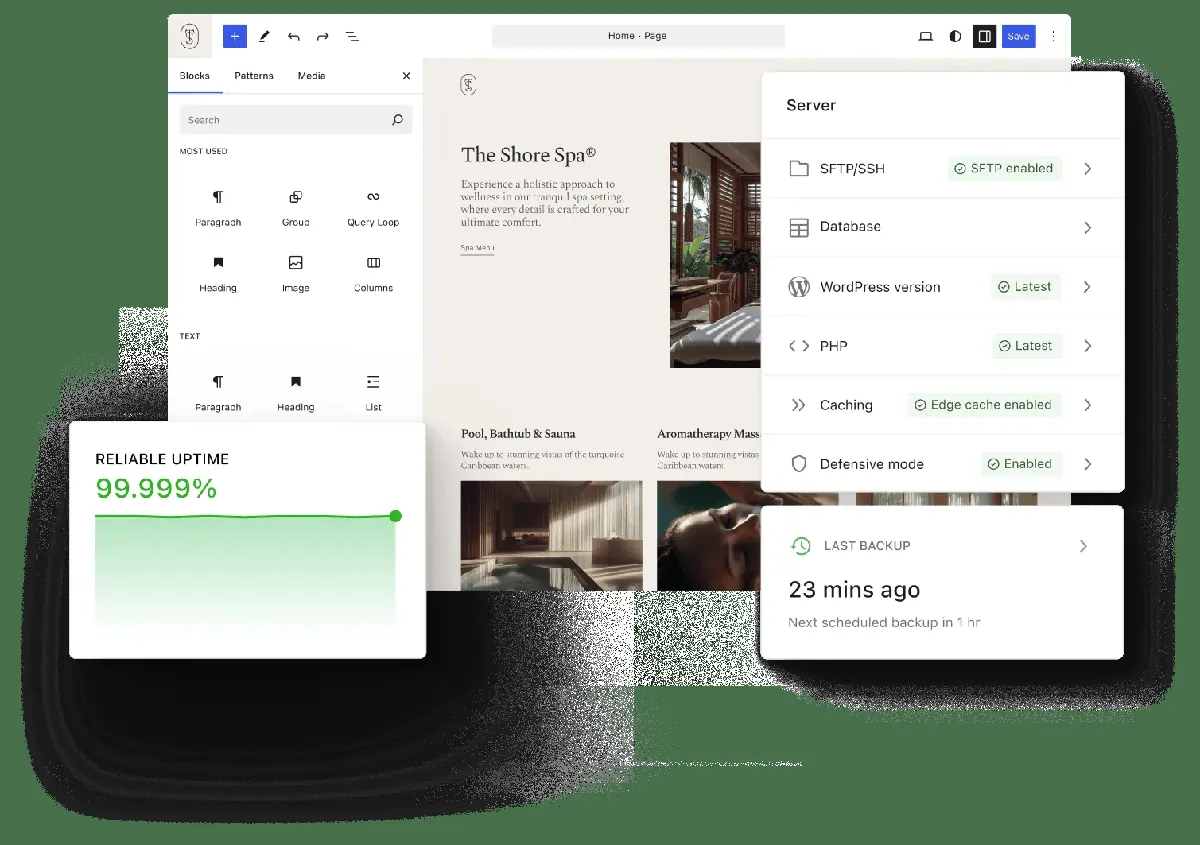


Images: wordpress.com
What WordPress.com can do in ChatGPT
Build and manage a WordPress.com site by chatting.
Build A Site
Describe your business and pages, and it plans, writes and launches the site.
Posts And Scheduling
Draft, publish and schedule blog posts on your connected site.
Traffic Review
Check how your site is doing and get ideas for what to post.
Comment Moderation
Go through and moderate comments without opening the dashboard.
Plugins And Settings
Manage plugins and update site settings from the chat.
You stay in control
You approve access, and you can disconnect WordPress.com at any time.
Apps 1
What WordPress.com does in ChatGPT
The WordPress.com plugin lets you build and run a WordPress.com website by chatting in ChatGPT. You explain your business, who you want to reach and which pages you need, and it plans the site, writes the text, chooses a design and puts it live on WordPress.com. It suits portfolios, blogs, restaurant menus and online stores.
If you already have a WordPress.com site, you can connect it and handle daily work from the chat. The listing mentions publishing and scheduling posts, looking at traffic, moderating comments, managing plugins and changing settings, with more than 70 abilities in total. It also has a skill for editing block content, such as changing a button label or link.
Developers using Codex on their own computer can also link it to WordPress Studio. That covers building sites locally, working on themes and plugins, editing sites and handling site administration. Changes made through the plugin land on your real site, so ask for a draft first when you want to check the wording.
Built-in skills
The listing says WordPress.com comes with 1 skills. Skills are ready-made instructions ChatGPT can use for a specific job.
- Edit WordPress Block Content
Who it is for
- Small businesses that want a site fast
- Bloggers running a WordPress.com site
- Developers building themes and plugins
How to add WordPress.com to ChatGPT
- Open the WordPress.com listing in ChatGPT ↗.
- Click Install plugin.
- Sign in to your WordPress.com account when asked and approve the access it requests.
- Start a chat and ask for what you need, mentioning WordPress.com if ChatGPT does not pick it up.
- To stop, disconnect WordPress.com under apps in your ChatGPT settings.
Questions about WordPress.com
What is the WordPress.com ChatGPT plugin?
The WordPress.com plugin lets you build and run a WordPress.com website by chatting in ChatGPT. You explain your business, who you want to reach and which pages you need, and it plans the site, writes the text, chooses a design and puts it live on WordPress.com. It suits portfolios, blogs, restaurant menus and online stores. It is listed in ChatGPT's plugin marketplace under Developer Tools.
What can I ask WordPress.com to do in ChatGPT?
For example: "Build a portfolio site for my photography business with a contact page", "Review my site traffic and suggest what I should publish next", "Change the Learn more button on my page to Book a consultation and link it to Contact". It also comes with built-in skills such as Edit WordPress Block Content.
Who makes the WordPress.com plugin for ChatGPT?
The ChatGPT listing names Automattic Inc. as the developer. The version listed on 8 October 2026 was 3.0.0.
How do I add WordPress.com to ChatGPT?
Open the WordPress.com listing in ChatGPT, click Install plugin, sign in to your WordPress.com account and approve the access it asks for. Then ask for what you need in a chat, mentioning WordPress.com if ChatGPT does not pick it up.
Can WordPress.com change things in my account, or only read?
It reads your WordPress.com site data such as traffic and comments, and can publish posts, edit pages, manage plugins and change settings when you ask.
Who is the WordPress.com plugin for?
Small businesses that want a site fast, bloggers running a WordPress.com site and developers building themes and plugins.
Does it work with WordPress sites not hosted on WordPress.com?
The listing describes building and managing sites on WordPress.com, plus local sites through WordPress Studio when you use Codex. It does not mention self-hosted WordPress sites.
Can it build a whole site from scratch?
Yes. You describe the business, audience and pages, and it plans the site, writes the content, picks a design and launches it on WordPress.com.
Does WordPress.com see my ChatGPT chats?
When WordPress.com is connected, ChatGPT may share the parts of your chats and memories that matter for a request with WordPress.com. What WordPress.com does with that data falls under its own terms and privacy policy. ChatGPT keeps your training-data settings, and you can disconnect at any time.
How do I disconnect WordPress.com from ChatGPT?
Open your ChatGPT settings, go to apps, and disconnect WordPress.com. You can reconnect later from the listing.
What are alternatives to WordPress.com in ChatGPT?
Similar plugins in the ChatGPT marketplace include AppDeploy, Hercules and Netlify. Each has its own page in this directory.


Privacy and your data
When WordPress.com is connected, ChatGPT may share the parts of your chats and memories that matter for a request with WordPress.com. What WordPress.com then does with that data falls under its own terms and privacy policy, not only OpenAI's. ChatGPT keeps your training-data settings for data that comes from connected apps, and you can disconnect at any time.
WordPress.com privacy policy ↗WordPress.com terms ↗OpenAI: apps in ChatGPT ↗