
Enterpret
Finds trends, feature requests and quotes in customer feedback from tickets, calls, reviews and surveys.
Images: enterpret.com
What Enterpret can do in ChatGPT
Ask what customers are saying across channels.
Complaint Trends
See which problems customers raise most and how that shifts.
Feature Requests
Find what customers ask you to build next.
Segment Patterns
Compare feedback from different customer groups.
Customer Quotes
Pull direct quotes to back up a point.
Source Links
Open the original ticket, call or review behind a result.
You stay in control
You approve access, and you can disconnect Enterpret at any time.
Apps 1
What Enterpret does in ChatGPT
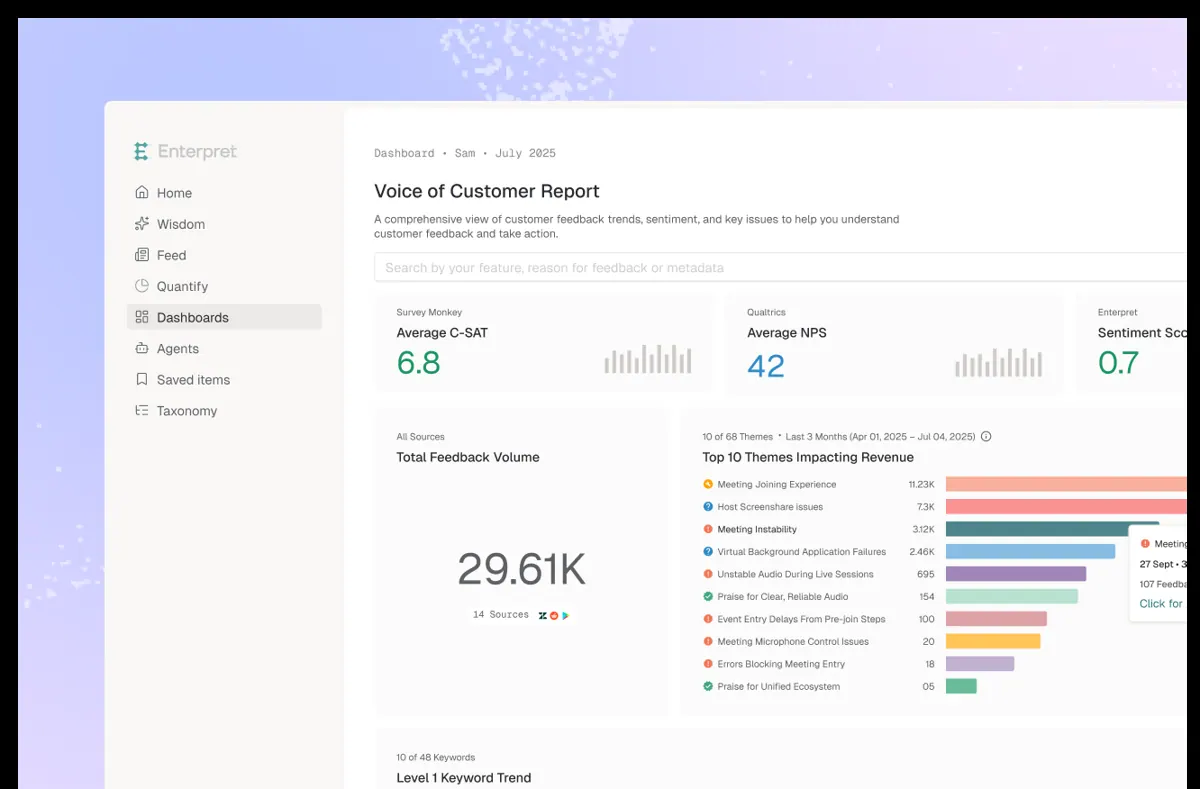
The Enterpret plugin helps teams see what customers are saying across many channels at once. It looks at support tickets, sales calls, app reviews, surveys, Slack and other sources connected to Enterpret, and lets you ask about them in plain language.
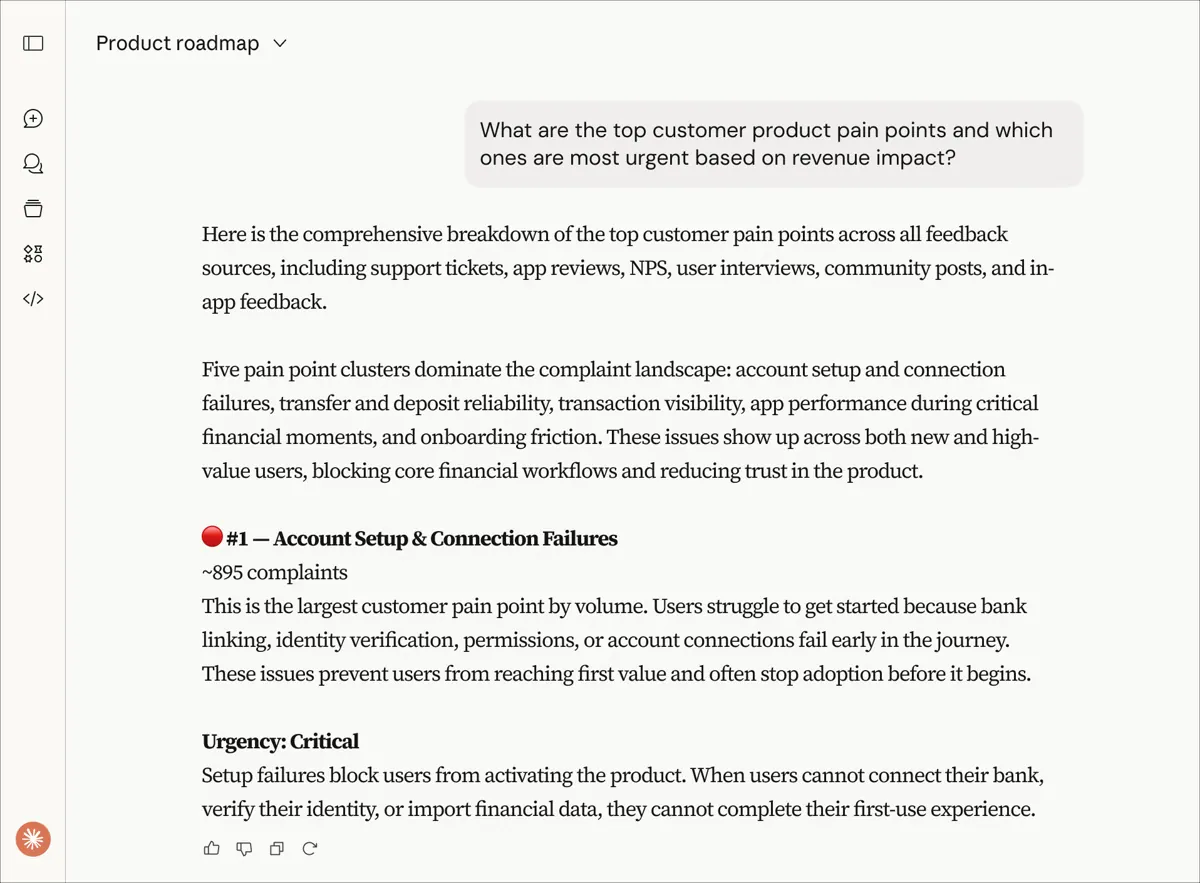
You can look for complaint trends, feature requests, patterns within a particular customer segment and direct quotes from customers. Answers come from your customer context graph in Enterpret, which ties each piece of feedback to the customer behind it, so you can see who said what and where.
Results include links back to the original records, so you can open the ticket, review or call yourself and check the details. The listing aims it at product, go-to-market and leadership teams that want to act on customer feedback with the full picture in front of them.
Who it is for
- Product managers reading customer feedback
- Support leads tracking complaint trends
- Leadership teams wanting customer quotes
How to add Enterpret to ChatGPT
- Open the Enterpret listing in ChatGPT ↗.
- Click Install plugin.
- Sign in to your Enterpret account when asked and approve the access it requests.
- Start a chat and ask for what you need, mentioning Enterpret if ChatGPT does not pick it up.
- To stop, disconnect Enterpret under apps in your ChatGPT settings.
Questions about Enterpret
What is the Enterpret ChatGPT plugin?
The Enterpret plugin helps teams see what customers are saying across many channels at once. It looks at support tickets, sales calls, app reviews, surveys, Slack and other sources connected to Enterpret, and lets you ask about them in plain language. It is listed in ChatGPT's plugin marketplace under Data & Analytics.
What can I ask Enterpret to do in ChatGPT?
For example: "What are the top complaints in support tickets this month?", "Which feature requests come up most from enterprise customers?", "Find customer quotes about our onboarding".
Who makes the Enterpret plugin for ChatGPT?
The ChatGPT listing names Enterpret Inc as the developer. The version listed on 8 October 2026 was 1.0.0.
How do I add Enterpret to ChatGPT?
Open the Enterpret listing in ChatGPT, click Install plugin, sign in to your Enterpret account and approve the access it asks for. Then ask for what you need in a chat, mentioning Enterpret if ChatGPT does not pick it up.
Can Enterpret change things in my account, or only read?
It reads customer feedback that your Enterpret workspace has gathered from tickets, calls, reviews, surveys, Slack and other sources, and links back to the source records.
Who is the Enterpret plugin for?
Product managers reading customer feedback, support leads tracking complaint trends and leadership teams wanting customer quotes.
Which feedback sources does Enterpret search?
Support tickets, sales calls, app reviews, surveys, Slack and more, according to the listing.
Can I check the original feedback?
Yes. Results include links back to the source records.
Does Enterpret see my ChatGPT chats?
When Enterpret is connected, ChatGPT may share the parts of your chats and memories that matter for a request with Enterpret. What Enterpret does with that data falls under its own terms and privacy policy. ChatGPT keeps your training-data settings, and you can disconnect at any time.
How do I disconnect Enterpret from ChatGPT?
Open your ChatGPT settings, go to apps, and disconnect Enterpret. You can reconnect later from the listing.
What are alternatives to Enterpret in ChatGPT?
Similar plugins in the ChatGPT marketplace include Sleekplan, JoomPulse and PostHog. Each has its own page in this directory.



Privacy and your data
When Enterpret is connected, ChatGPT may share the parts of your chats and memories that matter for a request with Enterpret. What Enterpret then does with that data falls under its own terms and privacy policy, not only OpenAI's. ChatGPT keeps your training-data settings for data that comes from connected apps, and you can disconnect at any time.
Enterpret privacy policy ↗Enterpret terms ↗OpenAI: apps in ChatGPT ↗